
SectorsCare
Supporting complex care organisations manage large teams with ease.
With complex scheduling options, including limiting night shifts, fixed-rate on-call shifts and detailed compliance monitoring and support, StaffSavvy is well equipped for care organisations big and small.

Feature Highlights
Staff self-managed availability and shift-swapping
Time-off restrictions per week or month
Management-controlled reserved hours
Remote and retrospective clock-in
Easy approval of digital timesheets
Quick shift templates
Pay manipulation rules
Fixed rate pay elements for sleep-ins
Automated wage sheets for perfect payroll every time
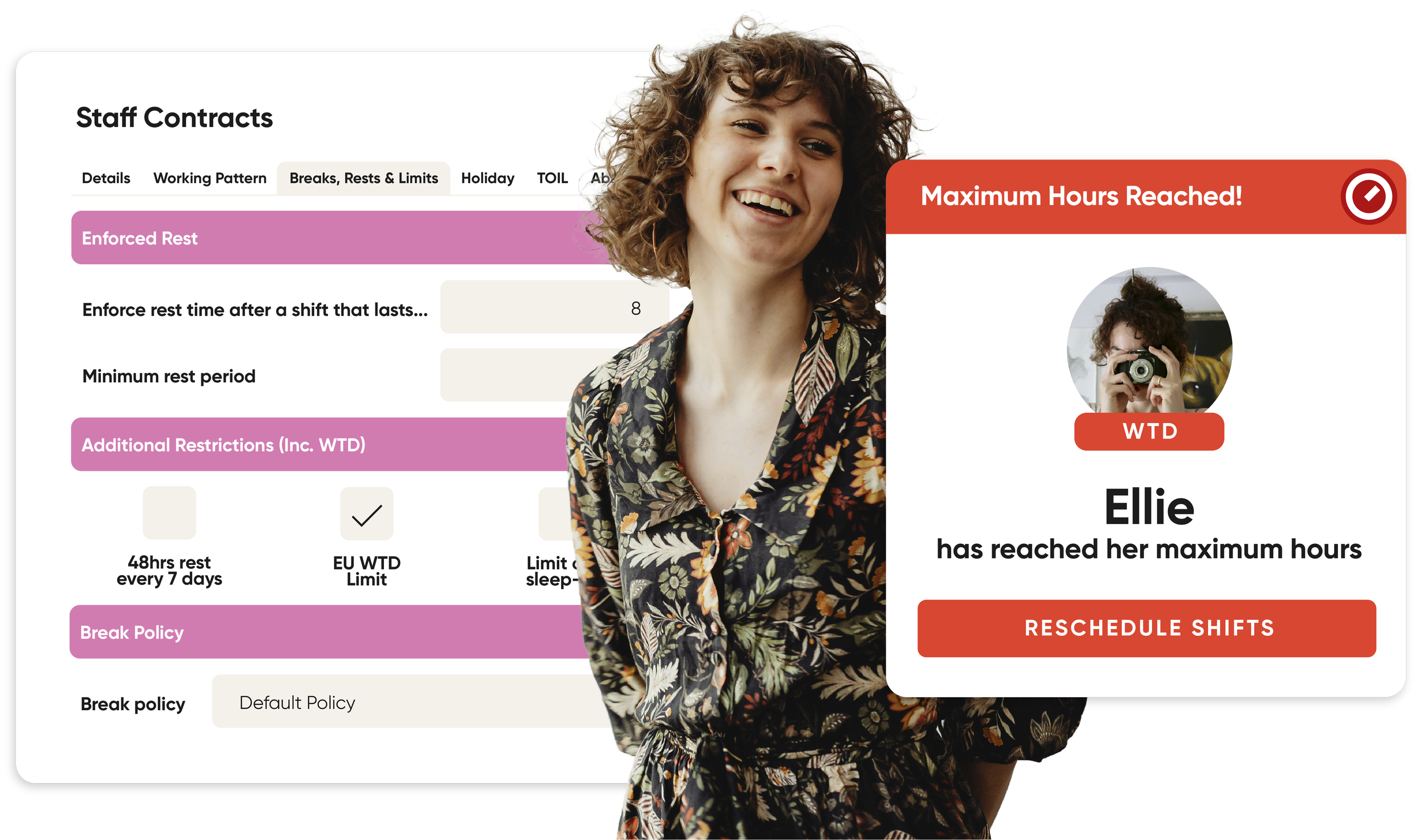
Schedule restrictions for breaks and rest days
Staff communication tools with read acknowledgement
Shift Deployments for staff moving around the venue during a shift
Separate Pay Rules & Shift Rules
With StaffSavvy, we keep the pay rules separate to the shift scheduling rules so that the system will still maintain the actual hours worked and will use these for contract limits and rules; it is simply the hours paid that will be adjusted.
Shift budgets will take into account any of the contract rules too so that the predicted cost of a shift will be correct.
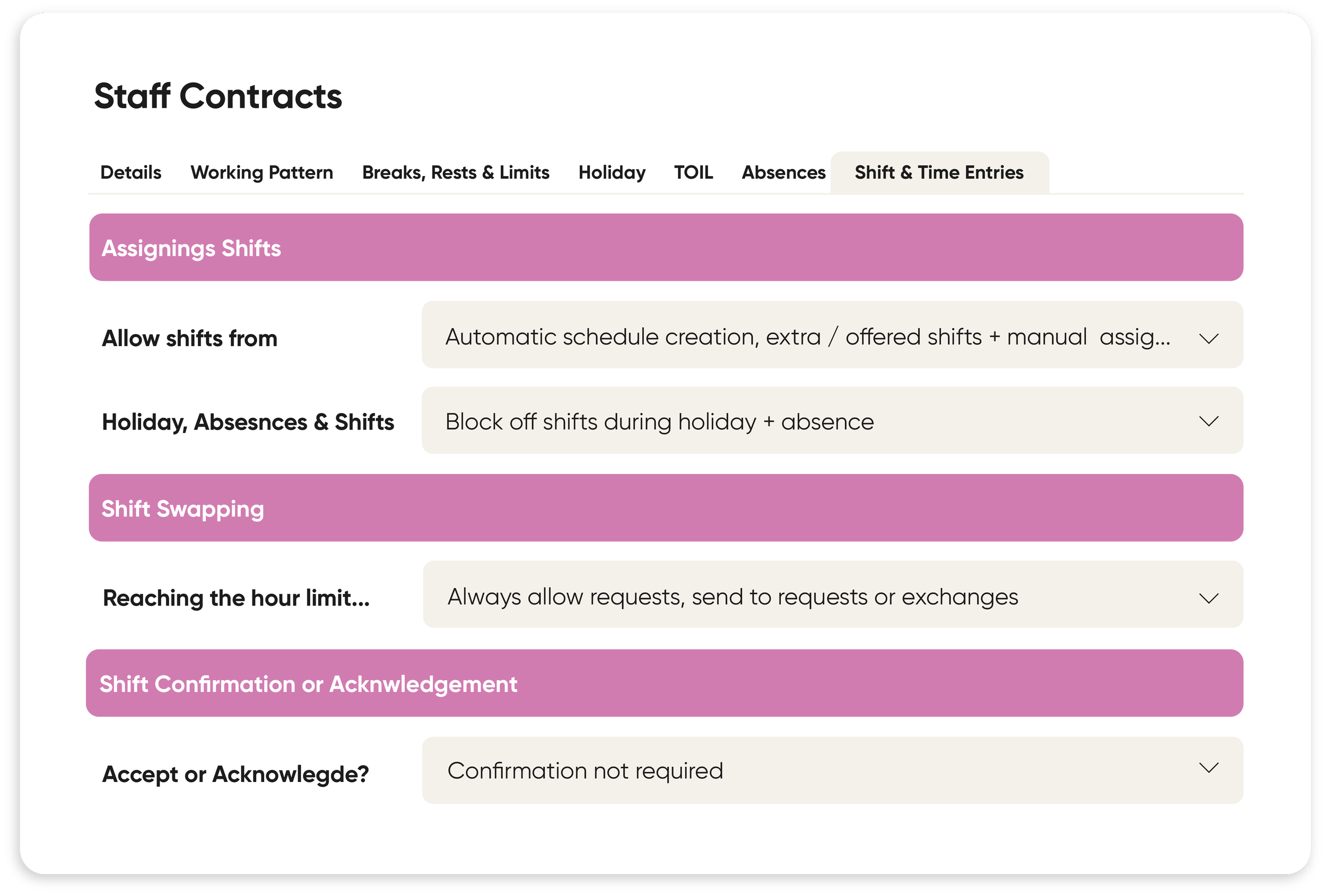
Flexible Contract Rules
Our contract manipulation rules are designed for shift-based organisations. We know there are a lot of complex contracts to be managed, and all of that needs to link up with payroll. You can create rules such as minimum call times, overtime payments, sleep ins and additional compensation.
The rules can run for specific times, days, national or your own organisation holidays, when working so many days a week, or even when working over a certain number of hours.
You can even have sub rules to ensure the system matches exactly with your specific needs.
“Since implementing StaffSavvy, we have seen improvements in the way rotas, staffing requirements, and day-to-day workforce planning are managed. It has helped streamline previously manual processes, reducing administration time and giving managers better visibility of staffing needs and availability.
Particularly useful features include rota management, vacancy/shift visibility, and the ability for managers to manage staffing needs in one central system rather than relying on multiple spreadsheets or emails.”
Cheryl Hewitt
Business Support Manager, Horizon

Scheduling Edition
Full scheduling with time & attendance, but no HR tools.
Workforce Edition
Scheduling Edition plus HR, reporting, training and more.
Training and Support You Can Trust
Unlimited training and support from a team of real people with years of experience.


Beth
Jessica
Theatre & Integrations Specialist
Visitor Experience Specialist
Emily
Poppy
HR Specialist
Key Account Manager


Scheduling for Care FAQs
-
Yes. StaffSavvy tracks shift start times, locations, and travel distances to allow multi-venue shifts while enforcing rest periods and travel buffers.
-
Care rotas often involve complex pay structures across different shift types. StaffSavvy handles these automatically:
Define distinct pay rules for standard day shifts, waking nights, weekend enhancements, flat-rate sleep-in allowances, and more.
Automatic Timesheet Calculation: Staff clock in and out with the system correctly categorizing hours worked and sleep-in top-ups directly into payroll.
-
Yes when you have an uncovered shift you can easily offer it out to anyone who is eligible for the shift - i.e they have the skill required, have had the minimum rest period since their last break, doesn’t go over their maximum hours per week etc.
This will notify staff through the app and they can accept the offered shift through the app on a first-come basis. This saves managers emailing, messaging and calling staff members individually. -
Care environments require specific skill distributions (e.g., at least one Registered Nurse or Medication-Trained Carer per wing). StaffSavvy safeguards your shifts by:
Mandatory Skill Rules: Schedulers can set hard prerequisites for shifts so a rota cannot be published or finalized without the required combination of qualified staff.
Use Staffing Ratios to get automatic warnings when specific skill levels drop below a required ratio for a planned shift.
-
Compliance is vital for CQC (Care Quality Commission) and regulatory inspections. StaffSavvy integrates workforce scheduling directly with Compliance & Training Management:
Track mandatory certifications such as Moving & Handling, Safeguarding, DBS Status, and Medication Administration.
Automated Expiry Blockers: System alerts notify managers before qualifications lapse, and the platform automatically prevents staff with expired certifications from being scheduled or clocking in.
-
StaffSavvy prioritizes internal capacity before reaching out to external agencies:
Internal Staffing Banks: Automatically broadcast unassigned or last-minute shifts to your own bank of part-time, casual, or off-duty carers via app push notifications.
Overtime & Fair Distribution Controls: Schedulers can offer open shifts based on staff availability and cost efficiency, helping you fill gaps with permanent or bank staff before incurring agency costs.